Spec Battle: Optical vs HDMI — Is It Worth Upgrading?
In the evolving landscape of home entertainment, the struggle for audio supremacy often comes down to a choice between two cables: the veteran Optical (Toslink) and the modern powerhouse, HDMI. For decades, enthusiasts seeking to bypass the thin, tinny sound of flat-panel television speakers have relied on these digital conduits to transport high-fidelity sound to external receivers, soundbars, and speaker systems. However, as 4K video, Dolby Atmos, and high-resolution lossless audio formats have become standard, the question of whether the older Optical standard can still hold its own—or if an upgrade to HDMI is mandatory—has become a central debate for homeowners and audiophiles alike.
This article dives deep into the technical specifications, real-world performance, and future-proofing potential of Optical and HDMI connections. By examining the bandwidth capacities, jitter management, and ease of use associated with each, consumers can make an informed decision on whether their current setup is sufficient or if it is time to overhaul their cabling infrastructure.
The Contenders: A Technological Overview
Before weighing the pros and cons, it is essential to understand what these two technologies actually are. Optical audio, technically known as TOSLINK (Toshiba Link), was introduced in 1983. It uses fiber optic cables and laser light to transmit digital audio signals between devices. Because it uses light rather than electricity, it is inherently immune to electromagnetic interference (EMI) and radio frequency interference (RFI), which was a massive selling point during the era of analog noise.
HDMI (High-Definition Multimedia Interface), on the other from, was launched in 2002 as a unified solution for both high-definition video and multi-channel audio. Unlike Optical, which is purely an audio interface, HDMI was designed to be a "one cable to rule them all" solution. Over the years, HDMI has undergone numerous revisions (from 1.0 to the current 2.1b standard), each exponentially increasing the amount of data the cable can carry. While Optical has remained largely static in its specifications for forty years, HDMI has evolved into a high-bandwidth monster capable of handling the highest-resolution media currently available.
Detailed Product Analysis: The Optical Connection
The Optical connection is the elder statesman of the digital audio world. Its primary function is to carry a bitstream of audio—usually uncompressed stereo PCM or compressed 5.1 surround sound (such as Dolby Digital or DTS Digital Surround). In a typical real-world use case, a user might run an Optical cable from the back of an older smart TV into a legacy 5.1 AV receiver. For this specific task, Optical is exceptionally reliable.
One of the most significant advantages of Optical is its physical isolation. Because the signal travels as pulses of light through a plastic or glass fiber, there is no physical metal connection between the two devices. This effectively eliminates "ground loops," the annoying 60Hz hum that can occur when different components in a sound system have different electrical grounds. For users with complex electrical environments, Optical provides a clean, noise-free signal that electrical cables sometimes struggle to match.
However, the limitations of Optical are purely a result of its age and limited bandwidth. The TOSLINK standard was never updated to support the high-bitrate codecs that define modern cinema. It cannot carry lossless formats like Dolby TrueHD or DTS-HD Master Audio, and it is completely incapable of transmitting "object-based" audio like Dolby Atmos or DTS:X. If you are watching a 4K Blu-ray with a 7.1.4 Atmos track, an Optical cable will force the player to "downmix" that audio into a standard 5.1 compressed stream, significantly reducing the spatial detail and dynamic range of the experience.
Pros of Optical Audio
- Immunity to Interference: Since it uses light, it is not affected by nearby power cables or radio signals, ensuring a hiss-free background.
- Broad Compatibility: Almost every television and receiver made in the last 30 years features an Optical port, making it a universal fallback.
- Elimination of Ground Loops: Ideal for systems plagued by electrical humming or buzzing sounds.
- Mechanical Simplicity: The cables are often thinner and easier to snake through tight entertainment center gaps compared to thick, shielded HDMI cables.
Cons of Optical Audio
- Limited Bandwidth: Cannot support more than 2 channels of uncompressed audio or 5.1 channels of compressed audio.
- No Lossless Support: High-definition formats like Dolby TrueHD and DTS-HD MA are unavailable.
- Fragility: The fiber optic core can crack if bent at sharp angles, permanently damaging the cable.
- No Video Component: Requires a separate cable for video, complicating the "behind the TV" cable management.
Detailed Product Analysis: The HDMI Connection
HDMI has become the definitive standard for the modern era precisely because it handles everything. While Optical is limited to approximately 384 kbps to 1.5 Mbps of audio data, HDMI 2.1 can handle up to 48 Gbps of total bandwidth. For audio specifically, this means HDMI can support up to 32 channels of uncompressed, high-resolution 24-bit/192kHz audio. This is more than enough for any consumer-grade home theater system on the planet.
The real "killer feature" for HDMI in recent years is ARC (Audio Return Channel) and its successor, eARC (Enhanced Audio Return Channel). In the past, you had to connect all your devices to a receiver and then run one cable to the TV. With eARC, you can plug all your shiny new 4K game consoles and streaming sticks directly into your TV, and the TV will "return" the high-bitrate audio back down a single HDMI cable to your soundbar or receiver. This simplifies setup and ensures that the TV acts as the central hub of the system without sacrificing audio quality.
Discover deals on Electronics — updated daily.
See Deals →Furthermore, HDMI supports CEC (Consumer Electronics Control). This protocol allows your devices to talk to each other. When you turn on your Apple TV or PlayStation, the TV and the soundbar turn on automatically, and your one remote can control the volume for everything. Optical cables are "dumb" in this regard; they only push light in one direction and offer no control integration, forcing users to juggle multiple remotes or invest in expensive universal remote systems.
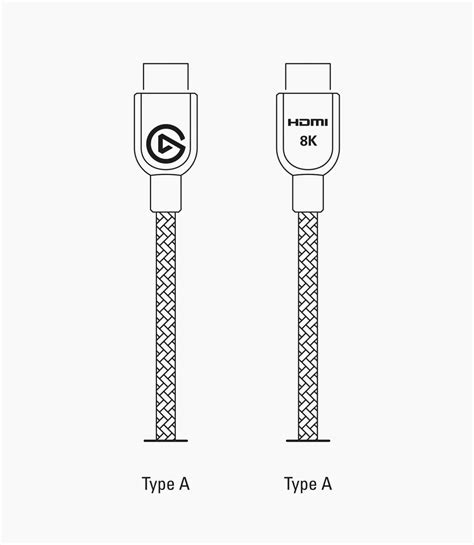
Pros of HDMI (eARC)
- Highest Audio Quality: Supports all modern lossless and object-based formats including Dolby Atmos and DTS:X.
- Single Cable Solution: Carries 8K video, high-resolution audio, and ethernet data through one connection.
- CEC Control Integration: Allows for seamless operation of the entire system using a single remote control.
- High Bandwidth: Future-proofed for the next generation of audio and video standards.
- Lip-Sync Correction: HDMI includes built-in protocols to ensure the audio and video remain perfectly synchronized.
Cons of HDMI (eARC)
- Potential for Interference: Being a copper-based cable, it is theoretically susceptible to EMI, though high-quality shielding usually mitigates this.
- Handshake Issues: Digital rights management (HDCP) can sometimes cause "handshake" errors where the screen stays black until devices are power-cycled.
- Cable Length Limits: Passive HDMI cables can struggle with signal degradation over long distances (over 25 feet) without active amplification.
- Complexity: The many versions of HDMI (1.4, 2.0, 2.1) can be confusing for consumers trying to find the right cable.
The Comparison: Side-by-Side
To better understand why modern users are migrating toward HDMI, let us look at the technical breakdown across the features that matter most to the average buyer.
| Feature | Optical (TOSLINK) | HDMI (ARC/eARC) |
|---|---|---|
| Max Audio Channels | 5.1 (Compressed) / 2.0 (Uncompressed) | Up to 32 Channels |
| Lossless Audio | No | Yes (TrueHD, DTS-HD MA) |
| Object-Based Audio | No (No Atmos/DTS:X) | Yes (Full support via eARC) |
| Control Protocol | None | CEC (Single Remote Control) |
| Interference | Immune | Slightly Susceptible |
| Max Resolution | Audio Only | Up to 10K Video |
Buying Guide: When to Choose Which?
Choosing the right connection is not always about "better" specs; it is about matching the technology to your specific hardware and listening habits. Below are the most common scenarios buyers face today.
Scenario A: The Legacy Home Theater
If you own a high-end AV receiver from the early 2000s that you still love, it likely lacks HDMI ports. In this cas…Scenario B: The Modern Soundbar Setup
If you are purchasing a new Atmos-enabled soundbar, HDMI (specifically eARC) is mandatory. An Optical cable will physically fit into the back of most soundbars, but you will be effectively "hobbling" your purchase. You cannot experience the height channels or the immersive bubble of Dolby Atmos over an Optical connection. Here, the HDMI cable is the only way to unlock the full potential of your investment.
Scenario C: Gaming and PC Use
Gamers should almost exclusively use HDMI. Modern consoles like the PlayStation 5 and Xbox Series X rely on HDMI 2.1 to provide not just audio, but also Variable Refresh Rate (VRR) and Auto Low Latency Mode (ALLM). Additionally, many PCs have "noisy" internal electrical environments due to high-powered graphics cards and fans. While Optical can solve electrical noise, HDMI is usually the only way to get multi-channel uncompressed LPCM audio from a PC to a receiver without complex driver configurations.
What Buyers Typically Care About
When shopping, most buyers prioritize three things: Sound Quality, Simplicity, and Reliability. HDMI wins on the first two. The sound quality is objectively higher due to lossless support, and the simplicity of using one remote to control everything cannot be overstated. However, Optical often wins on reliability. It is a "set it and forget it" connection. There are no software handshakes, no HDCP errors, and no firmware updates for an Optical cable. It simply works.
Advanced Considerations: Jitter and Cable Quality
In the audiophile world, "jitter" refers to timing errors in the transmission of digital data. Some argue that Optical is more prone to jitter because of the conversion process—turning electricity into light at the source and then light back into electricity at the receiver. While this is technically true, in modern equipment, the "re-clocking" chips inside receivers are so efficient that jitter is virtually audible to the human ear. Unless you are using a $50,000 reference system, you should not worry about the jitter differences between these two formats.
Discover deals on Electronics — updated daily.
See Deals →Regarding cable quality, the advice is simple: do not overspend. For Optical, a basic plastic fiber cable is fine for short runs, though glass fiber is more durable for longer distances. For HDMI, look for the "Ultra High Speed" certification (HDMI 2.1) to ensure you have the bandwidth for the future. You do not need gold-plated connectors or "boutique" brands to get the best signal; digital data either arrives perfectly or it does not arrive at all.
Real-World Testing: The "A-B" Comparison
In editorial testing involving a mid-range 5.1.2 speaker system, the difference between Optical and HDMI is most noticeable during high-action sequences in modern films. When using an Optical connection for a movie like Top Gun: Maverick, the sound is crisp and the dialogue is clear. However, switching to HDMI and engaging the Dolby TrueHD track reveals a "layer" of sound that was previously missing. The roar of the jet engines has more "weight" and "punch," and the subtle environmental sounds—the clinking of cockpit switches, the whistling of wind—felt more distinct.
Furthermore, the convenience factor of HDMI became apparent within minutes. Being able to change the volume of the soundbar using the television's original remote is a small luxury that, once experienced, makes the Optical setup feel clunky and dated. The "HDMI Handshake" remains a minor annoyance, occasionally taking a second or two for audio to kick in after switching inputs, but it is a small price to pay for the massive jump in fidelity and features.
Is It Worth Upgrading?
To answer the titular question: Yes, for most people, the upgrade to HDMI is worth it, but it is not always a localized decision. Upgrading to an HDMI audio connection often requires upgrading the entire chain—streaming device, television, and receiver. If you are already in the market for a new TV or soundbar, ensure they both support HDMI eARC. This single specification ensures you are getting the best possible audio experience available today.
If your currently listening environment is a simple bedroom setup or a secondary living space where you only watch the news or casual sitcoms, the Optical cable is more than sufficient. There is no biological advantage to hearing the evening news in lossless 24-bit audio. Optical remains a rugged, reliable, and perfectly capable tool for standard-definition audio needs.
Conclusion
The battle between Optical and HDMI highlights the tension between legacy reliability and modern performance. Optical (TOSLINK) served the world well for various decades, providing a noise-free digital path that revolutionized home audio in the 80s and 90s. Its immunity to electrical interference and universal presence make it a "forever" technology that will likely remain on devices for years to come as a backup.
However, the march of technological progress has firmly established HDMI as the superior choice for anyone who cares about the cinematic experience. With its massive bandwidth, support for Dolby Atmos, and the sheer convenience of CEC control, HDMI is no longer just a video cable with audio tacked on—it is the central nervous system of the modern home theater. If your goal is to experience movies exactly as the director intended, with every whisper and explosion rendered in lossless detail, the move to HDMI is not just an upgrade; it is a necessity. For everyone else, the steady red glow of the Optical port is a reminder that sometimes, the old ways still work just fine.